
Overview
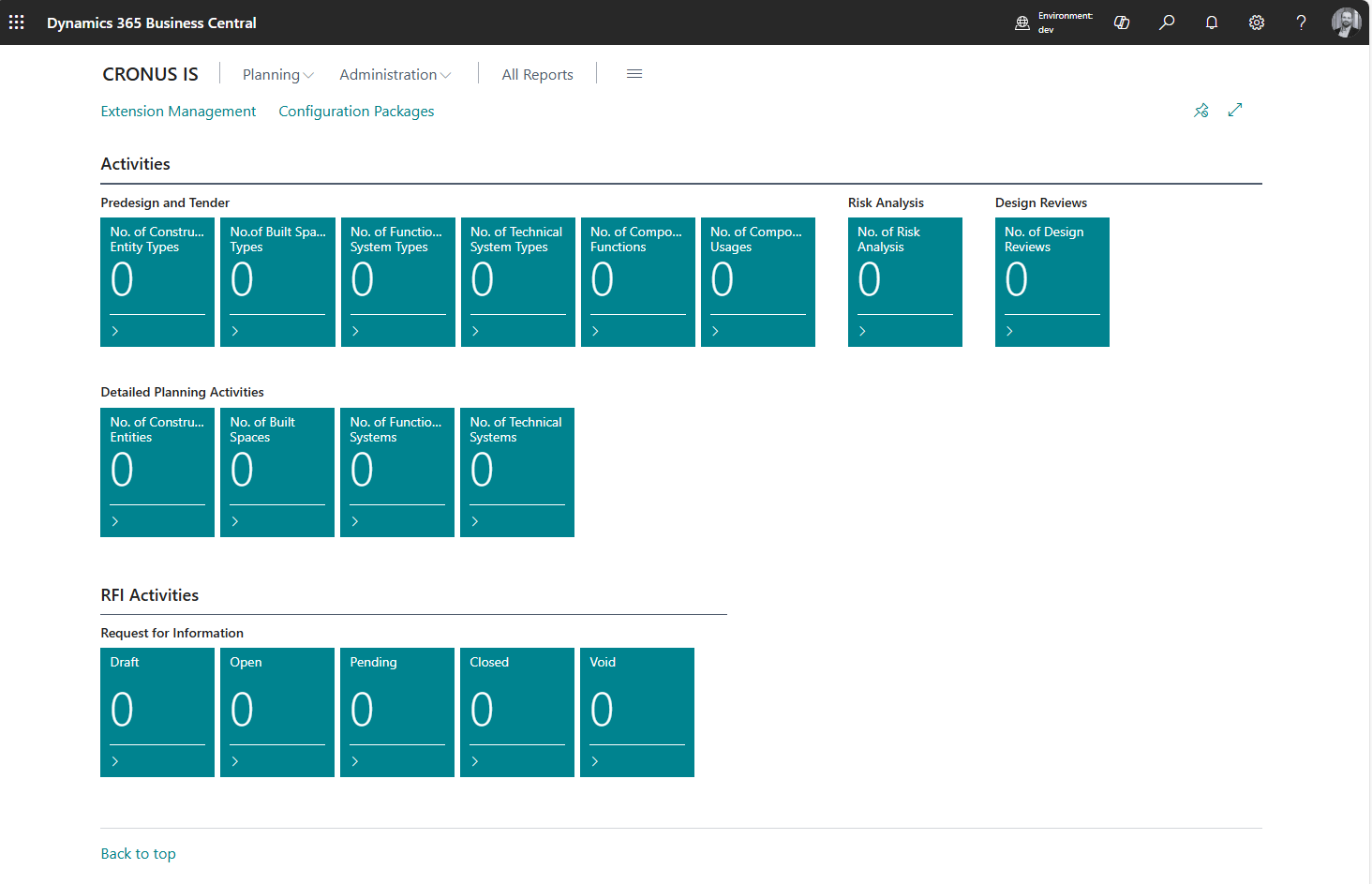
If you have Commissioning Management System activated and role set to Commissioning Management System new cues will appear in the role center. The cues are split into groups which are based on the project phase or project functionality. This way you will be presented with the cues that are actual for your daily work without need to look for them.
Choose active construction
If you are working with more than one projects, you can define a filter for the active construction.
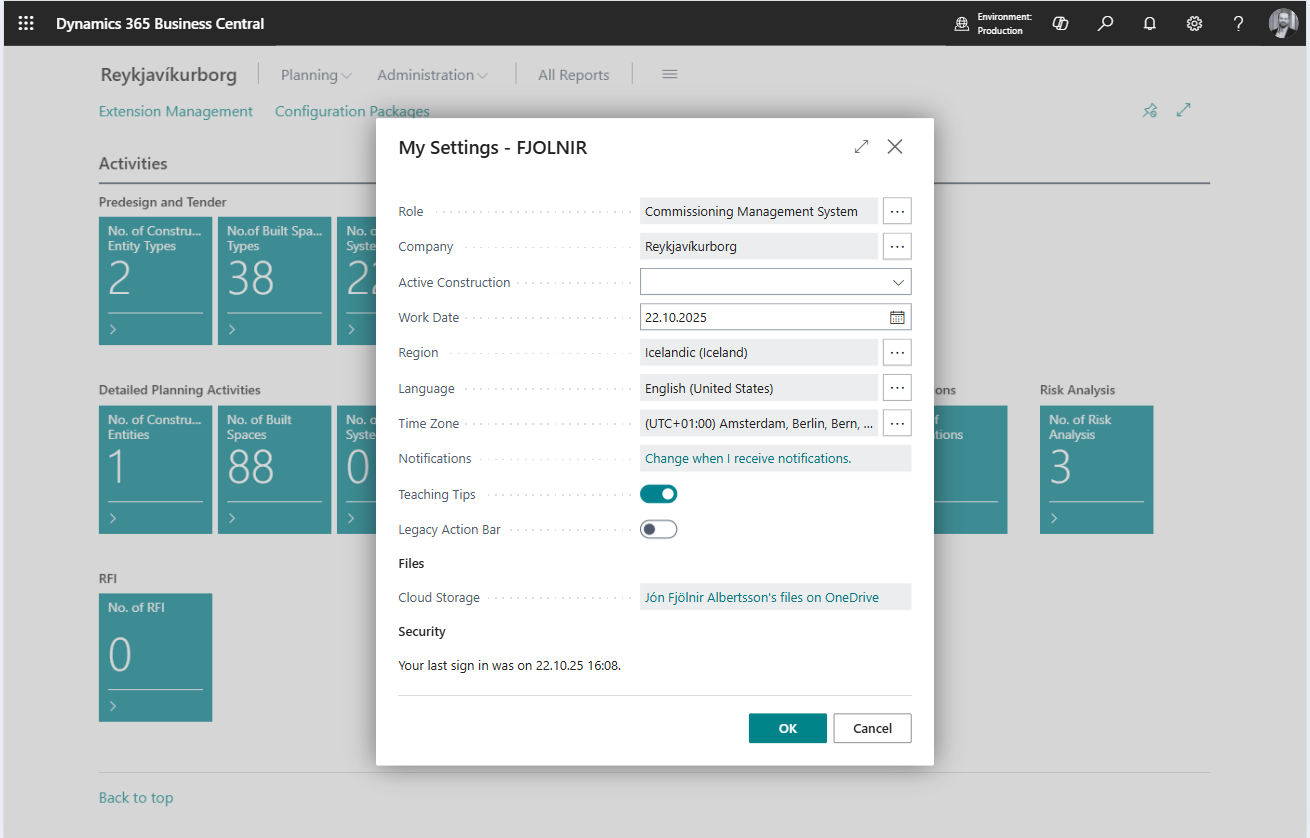
The default construction filter is empty, but you can select one active construction. When that is done, all cues and list will be filter for this construction entry type.
-
In the top right corner, choose the Settings icon, and then choose the My Settings action.
-
On the My Settings page, in the Active Construction field, select the construction entity type that you want to use by default.
-
Choose OK.